

Hey there! If you're here, you're probably wondering, "Can I upgrade my existing OPS CPU heat sink?" Well, you've come to the right place. I'm a supplier of OPS CPU heat sinks, and I'm gonna break it all down for you.
Understanding Your Current OPS CPU Heat Sink
First things first, let's talk about your existing heat sink. OPS, or Open Pluggable Specification, CPUs are used in a variety of devices, like digital signage and industrial computers. The heat sink's job is to keep your CPU cool by dissipating the heat it generates. Over time, though, your current heat sink might not be doing its job as well as it used to.
There are a few reasons why you might want to upgrade. Maybe your CPU has been overheating, causing your system to slow down or even crash. Or perhaps you've upgraded your CPU to a more powerful model, and your old heat sink just can't handle the extra heat. Another reason could be that your heat sink is just old and worn out, and it's time for a replacement.
Factors to Consider Before Upgrading
Before you go ahead and upgrade your OPS CPU heat sink, there are a few things you need to consider.
Compatibility
The most important factor is compatibility. You need to make sure that the new heat sink you choose is compatible with your CPU. Different CPUs have different socket types, and the heat sink needs to fit properly on your CPU socket. You can usually find this information in your CPU's manual or by doing a quick online search.
Cooling Performance
Another important factor is cooling performance. You want a heat sink that can effectively cool your CPU, especially if you're using a high-performance CPU. Look for heat sinks with good reviews and high ratings for cooling performance. Some heat sinks use advanced technologies, like heat pipes or liquid cooling, to improve their cooling efficiency.
Size and Space
You also need to consider the size and space of your computer case. Some heat sinks are larger than others, and you need to make sure that there's enough space in your case to install the new heat sink. You might also need to check if your case has enough clearance for the heat sink's fan or other components.
Types of OPS CPU Heat Sinks
There are several types of OPS CPU heat sinks available on the market. Here are some of the most common ones:
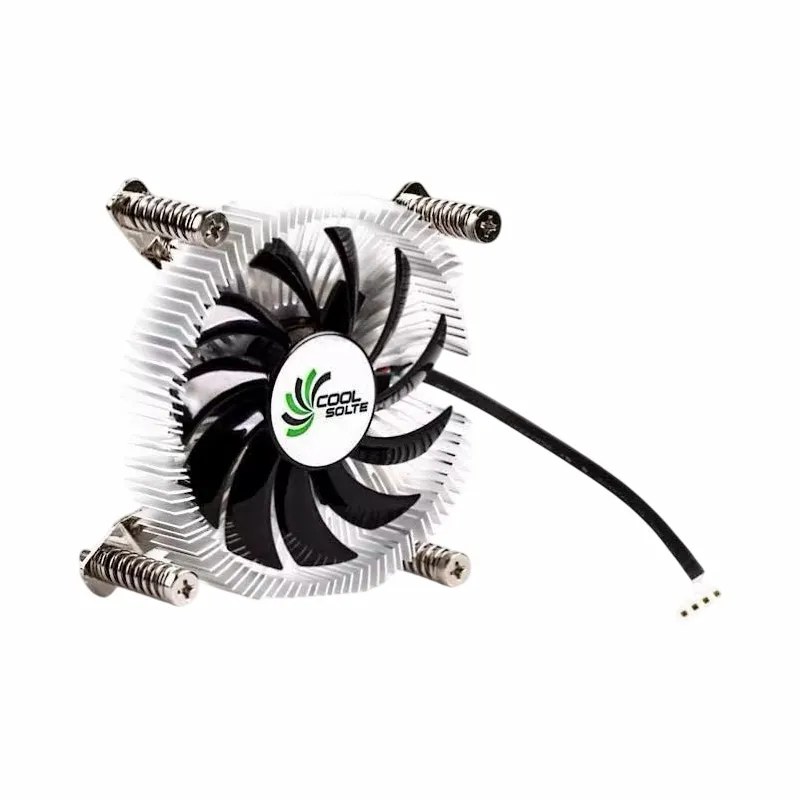
Air Cooler Fans Cooling Heat Sink for CPU
Air cooler fans are the most common type of heat sink. They work by using a fan to blow air over a heatsink, which dissipates the heat. Air cooler fans are relatively inexpensive and easy to install. You can check out our Air Cooler Fans Cooling Heat Sink for CPU for a great option.
Copper CPU Heatpipe Radiator for AMD Intel
Copper heatpipe radiators are a more advanced type of heat sink. They use heat pipes to transfer heat from the CPU to the radiator, which is then cooled by a fan. Copper heatpipe radiators are more efficient than air cooler fans and can provide better cooling performance. Our Copper CPU Heatpipe Radiator for AMD Intel is a top-notch choice.
Computer Cooler Fan with Alloy Aluminium CPU Heat Sink
Alloy aluminium heat sinks are another popular option. They are lightweight and have good heat dissipation properties. The computer cooler fan helps to enhance the cooling effect. You can find a great Computer Cooler Fan with Alloy Aluminium CPU Heat Sink in our product range.
The Upgrade Process
If you've decided that upgrading your OPS CPU heat sink is the right choice for you, here's a general guide on how to do it:
- Prepare Your Tools: You'll need a few tools, like a screwdriver and thermal paste. Make sure you have everything you need before you start.
- Turn Off Your Computer: Before you start working on your computer, make sure it's turned off and unplugged from the power source.
- Remove the Old Heat Sink: Carefully remove the old heat sink from your CPU. You might need to unscrew some screws or clips to do this.
- Clean the CPU Surface: Use a clean cloth and some isopropyl alcohol to clean the surface of your CPU. This will remove any old thermal paste and ensure good contact between the CPU and the new heat sink.
- Apply Thermal Paste: Apply a small amount of thermal paste to the center of your CPU. This will help to transfer heat more effectively from the CPU to the heat sink.
- Install the New Heat Sink: Carefully place the new heat sink on top of your CPU and secure it in place. Make sure it's properly aligned and tightened.
- Connect the Fan: If your new heat sink has a fan, connect it to the appropriate power connector on your motherboard.
- Test Your Computer: Once you've installed the new heat sink, turn on your computer and check the temperature of your CPU. If everything is working properly, you should notice a significant improvement in the cooling performance.
Benefits of Upgrading
Upgrading your OPS CPU heat sink can bring several benefits. Firstly, it can improve the performance of your CPU. When your CPU runs cooler, it can operate at its full potential without throttling. This means faster processing speeds and better overall performance.
Secondly, upgrading your heat sink can extend the lifespan of your CPU. Overheating can cause damage to your CPU over time, and a good heat sink can prevent this from happening.

Finally, a better heat sink can reduce the noise level of your computer. If your old heat sink's fan was running at high speeds to keep your CPU cool, a more efficient heat sink can allow the fan to run at lower speeds, resulting in less noise.

Conclusion
So, can you upgrade your existing OPS CPU heat sink? Absolutely! As long as you consider the factors I've mentioned, choose the right type of heat sink, and follow the proper upgrade process, you can enjoy the benefits of a cooler and more efficient CPU.
If you're interested in upgrading your OPS CPU heat sink, we have a wide range of high-quality products to choose from. Whether you need an air cooler fan, a copper heatpipe radiator, or an alloy aluminium heat sink, we've got you covered. Don't hesitate to contact us for more information or to start a procurement discussion. We're here to help you find the perfect heat sink for your needs.
References
- "Computer Hardware: A Beginner's Guide" by Michael Miller
- Various online articles on CPU cooling and heat sink technology