

Hey there, tech enthusiasts! I'm an aluminum CPU cooler supplier, and I'm stoked to dive into the topic of what's up with the compatibility of aluminum CPU coolers and different motherboards.
Let's start by getting into what an aluminum CPU cooler actually is. Aluminum is a go - to material for CPU coolers because it's lightweight, relatively inexpensive, and has decent thermal conductivity. It's great at transferring heat away from the CPU, keeping your processor from overheating and performing at its best.
Now, when it comes to motherboard compatibility, there are a few key factors we need to consider.
Socket Compatibility
The first and most crucial thing is socket compatibility. Motherboards come with different CPU sockets, and your cooler needs to fit snugly onto that socket. For example, Intel and AMD have their own line - ups of sockets. Intel has sockets like LGA 1151, LGA 1200, and LGA 1700. AMD, on the other hand, has sockets such as AM4, AM5.
If you try to use an aluminum CPU cooler that isn't designed for your motherboard's socket, it simply won't work. You won't be able to mount it properly, and that means no effective heat transfer. So, when you're looking at an aluminum CPU cooler, make sure to check the product description to see which sockets it supports. We offer a Copper CPU Heatpipe Radiator for AMD Intel that is compatible with a wide range of Intel and AMD sockets, giving you more flexibility in your build.
Size and Clearance
Another important aspect is the size of the cooler and the available clearance on your motherboard. Some motherboards have a lot of components packed closely around the CPU socket, like tall capacitors or large RAM modules. If you have a huge aluminum CPU cooler, it might not fit due to these obstructions.
For instance, some high - end RGB RAM modules can be quite tall. If your aluminum cooler is too big, it could block the RAM slots, preventing you from installing all your memory modules. Or, it might interfere with other components on the motherboard, causing installation headaches.
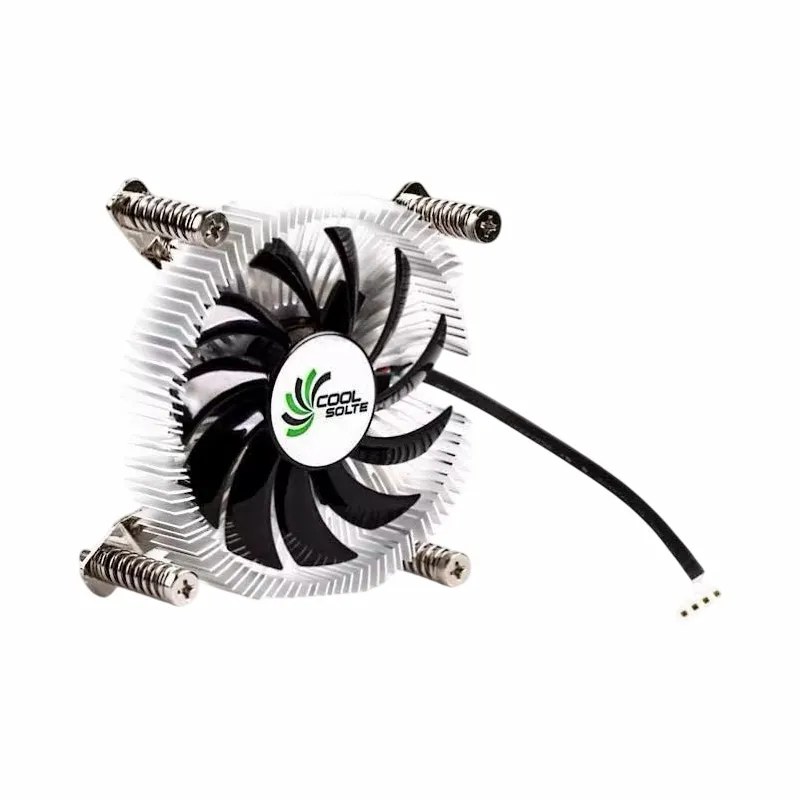
We also have a Computer Cooler Fan with Alloy Aluminium CPU Heat Sink which comes in different sizes. This allows you to choose the one that best fits your motherboard layout and the case you're using. Make sure to measure the available space on your motherboard and in your case before making a purchase.
Power and Connector Compatibility
Power is another consideration. Aluminum CPU coolers usually have fans, and these fans need power to run. Most coolers come with a standard 3 - pin or 4 - pin connector. You need to ensure that your motherboard has a compatible fan header to connect the cooler to.
A 3 - pin connector is typically used for basic fan control, while a 4 - pin connector allows for more advanced PWM (Pulse Width Modulation) control. PWM control lets the motherboard adjust the fan speed based on the CPU temperature, which is really handy for keeping noise levels down when the CPU isn't under heavy load.
If your motherboard only has 3 - pin fan headers and you have a cooler that requires a 4 - pin connection, you might need an adapter. But it's always better to choose a cooler that is directly compatible with your motherboard's fan headers. Our Air Cooler Fans Cooling Heat Sink for CPU is designed with different connector options to make it easier to connect to various motherboards.
Thermal Design Power (TDP)
TDP, or Thermal Design Power, is a measure of how much heat a CPU is expected to generate under normal operating conditions. Your aluminum CPU cooler needs to be able to handle the TDP of your CPU.
If you have a high - end CPU with a high TDP, say a powerful gaming or workstation CPU, you'll need a more robust aluminum cooler. A cooler that is rated for a lower TDP won't be able to dissipate the heat effectively, which can lead to overheating and reduced CPU performance.
When you're looking at coolers, check the TDP rating. Make sure it's equal to or higher than the TDP of your CPU. This ensures that the cooler can keep your CPU running at a safe temperature.
BIOS and Firmware Compatibility
Believe it or not, BIOS (Basic Input/Output System) and firmware can also play a role in cooler compatibility. Sometimes, motherboard manufacturers release BIOS updates that improve the compatibility with certain CPU coolers.
These updates can fix issues like incorrect fan speed control or better communication between the motherboard and the cooler. So, it's a good idea to keep your motherboard's BIOS up - to - date. You can usually find the latest BIOS version on the motherboard manufacturer's website.
The Bottom Line
In conclusion, the compatibility of an aluminum CPU cooler with different motherboards depends on multiple factors. Socket compatibility is non - negotiable. You can't have a working cooling solution without a proper fit on the CPU socket. Size and clearance are also vital to avoid installation issues and component interference. Power and connector compatibility ensure that your cooler gets the power it needs and can be controlled effectively. TDP rating guarantees that the cooler can handle the heat output of your CPU. And don't forget about BIOS and firmware updates to optimize the performance.
If you're in the market for an aluminum CPU cooler and need help figuring out the compatibility with your motherboard, don't hesitate to reach out. We're here to assist you in making the right choice for your computer build. Whether you're a casual user looking for a reliable cooler or a hardcore gamer or professional in need of high - performance cooling, we've got you covered.

Let's work together to keep your CPU cool and your system running smoothly. Get in touch to start discussing your procurement needs. We can help you find the perfect aluminum CPU cooler that is fully compatible with your motherboard.
References
- Various motherboard and CPU cooler product manuals.
- Online tech forums and communities discussing PC hardware compatibility.
- Manufacturer websites for up - to - date information on socket types, TDP ratings, and product specifications.