

Yo, what's up tech enthusiasts! I'm here as a supplier of low profile AIO coolers, and today we're diving into the burning question: Can a low profile AIO cooler be used with a micro - ATX motherboard?
First off, let's break down what we're talking about. A micro - ATX motherboard is a smaller form - factor motherboard. It's popular among those who want a more compact PC build, like in small form factor cases or home theater PCs. On the other hand, a low profile AIO cooler is an all - in - one liquid cooler designed to take up less space. It's a great option for those who don't have a lot of room in their cases but still want the efficient cooling that liquid coolers offer.
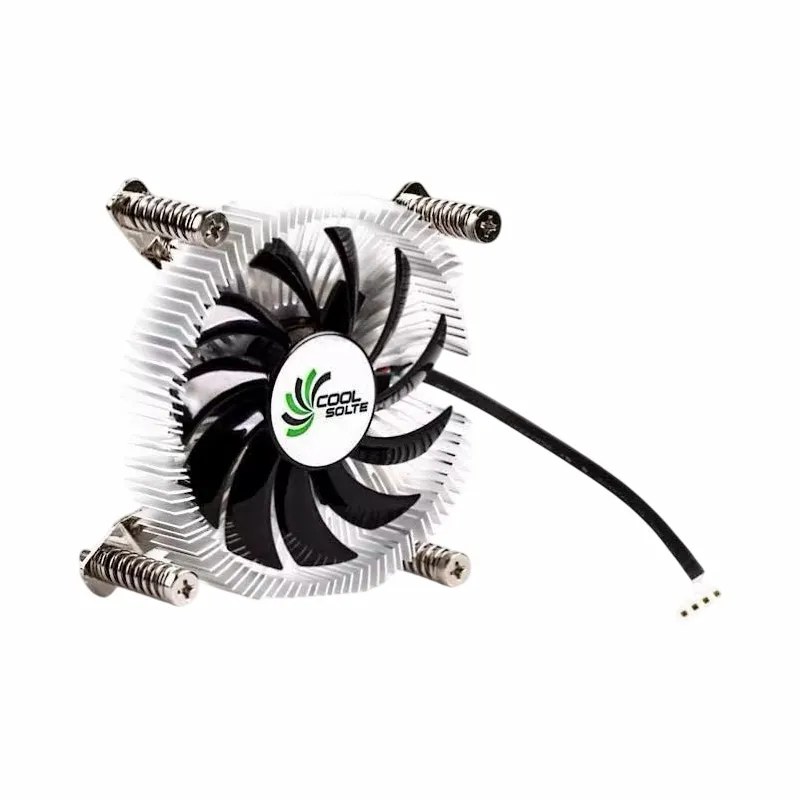

Now, the good news is that in most cases, a low profile AIO cooler can definitely be used with a micro - ATX motherboard. The compatibility mainly comes down to a few key factors.
Mounting Compatibility
One of the most important things is the mounting mechanism. Micro - ATX motherboards usually follow standard mounting patterns for CPUs, just like their larger counterparts. Most low profile AIO coolers are designed to be compatible with common CPU socket types, such as Intel's LGA 115x, 1200, 1700 series, and AMD's AM4, AM5 sockets. As long as your low profile AIO cooler has the right mounting brackets for your specific CPU socket, you're good to go.
For example, if you have an Intel Core i5 - 12400F on a micro - ATX motherboard with an LGA 1700 socket, and you're looking at a low profile AIO cooler that supports LGA 1700, it will fit right onto the motherboard without any issues.
Space Constraints
Even though micro - ATX motherboards are smaller, they still need to fit into a case. And that's where space can become a bit of a challenge. Low profile AIO coolers are designed to be more compact, but you still need to make sure there's enough room in your case for the radiator and the fans.
Some low profile AIO coolers come with a smaller radiator, like a 120mm radiator. These are generally easier to fit into smaller cases that are designed for micro - ATX motherboards. However, if you have a really tiny case, you might run into problems. You need to measure the available space in your case for the cooler. Make sure there's enough clearance above the CPU socket for the cooler to be installed, and also enough space at the front or top of the case to mount the radiator.
Cooling Performance
You might be wondering if a low profile AIO cooler can actually cool your CPU effectively when paired with a micro - ATX motherboard. Well, it depends on a few things.
The size of the radiator plays a big role. A larger radiator can dissipate heat more efficiently. So, a low profile AIO cooler with a 240mm radiator will generally provide better cooling than one with a 120mm radiator. But even a 120mm radiator can do a decent job, especially if you have a CPU with a lower TDP (Thermal Design Power).
For instance, if you're using a low - power AMD Ryzen 3 3100 on your micro - ATX motherboard, a low profile AIO cooler with a 120mm radiator should be able to keep the CPU cool under normal usage. But if you have a high - end CPU like an Intel Core i9 - 13900K, you might want to consider a larger radiator or a more powerful cooling solution.
Benefits of Using a Low Profile AIO Cooler with a Micro - ATX Motherboard
There are several benefits to using a low profile AIO cooler with a micro - ATX motherboard.
Compactness
As mentioned earlier, the main advantage is the compact size. If you're building a small form factor PC, a low profile AIO cooler allows you to have the benefits of liquid cooling without taking up too much space. This is great for those who want a powerful PC but don't have a lot of room for a large tower cooler or a big AIO cooler.
Quiet Operation
Low profile AIO coolers are often quieter than traditional air coolers. The liquid cooling system helps to transfer heat more efficiently, which means the fans don't have to spin as fast. This results in a quieter PC, which is especially important if you're using your PC in a quiet environment like a home office or a bedroom.
Aesthetics
Let's face it, looks matter. Low profile AIO coolers can add a sleek and modern look to your PC build. They often come with RGB lighting options, which can make your PC look really cool. And when paired with a micro - ATX motherboard in a small case, it can create a really stylish and compact setup.
Some Recommended Products
If you're in the market for a low profile AIO cooler for your micro - ATX motherboard, here are a few products that you might want to check out. You can also explore more options on our website. For example, we have the Air Cooler Fans Cooling Heat Sink for CPU, which is a great option for those looking for an efficient air cooling solution. Another option is the Copper CPU Heatpipe Radiator for AMD Intel, which offers good heat dissipation for both AMD and Intel CPUs. And if you're interested in a cooler with an alloy aluminium heat sink, the Computer Cooler Fan with Alloy Aluminium CPU Heat Sink is worth considering.
Contact for Purchase and洽谈
If you're interested in purchasing our low profile AIO coolers or have any questions about compatibility with your micro - ATX motherboard, don't hesitate to reach out. We're here to help you make the right choice for your PC build. Whether you're a DIY enthusiast or a professional builder, we can provide you with the best products and support. Just drop us a message, and we'll get back to you as soon as possible.
References
- PC Gamer Magazine, various issues on PC cooling solutions
- Tom's Hardware, articles on CPU coolers and motherboard compatibility
- AnandTech, research on thermal performance of different CPU coolers