

When it comes to building or upgrading a computer, one of the crucial components that often gets overlooked is the CPU cooler. A proper CPU cooler is essential for maintaining optimal performance and preventing overheating, which can lead to system instability and even hardware damage. As a supplier of Best Budget CPU Coolers, I understand the importance of finding the right balance between cost and performance. In this blog post, I'll explore how much you should expect to spend on a budget CPU cooler and what factors you need to consider.
Understanding the Basics of CPU Cooling
Before delving into the cost, it's important to understand the basic principles of CPU cooling. The CPU generates a significant amount of heat during operation, and if this heat is not dissipated effectively, it can cause the CPU to throttle, reducing its performance. There are two main types of CPU coolers: air coolers and liquid coolers.
Air coolers are the most common and affordable option. They typically consist of a heatsink and a fan. The heatsink absorbs the heat from the CPU and transfers it to the fins, where the fan blows air over the fins to dissipate the heat. CPU Cooling Fan with Heatsink is a classic example of an air cooler that provides reliable cooling at a reasonable price.
Liquid coolers, on the other hand, use a liquid coolant to transfer heat away from the CPU. They are generally more efficient than air coolers but also more expensive. Liquid coolers are often used in high-performance systems or overclocked CPUs.
Factors Affecting the Cost of a Budget CPU Cooler
The cost of a budget CPU cooler can vary widely depending on several factors. Here are some of the key factors to consider:
Cooling Performance
The primary function of a CPU cooler is to keep the CPU cool. Coolers with higher cooling performance are generally more expensive. Factors that affect cooling performance include the size of the heatsink, the number and speed of the fans, and the quality of the thermal paste. For example, a Black Anodized Aluminum Heat Sink for CPU may offer better heat dissipation due to its high-quality aluminum construction, but it may also come at a higher price.
Noise Level
Noise is another important consideration, especially if you plan to use your computer in a quiet environment. Coolers with larger fans or more advanced fan control technology tend to be quieter but may also cost more. Some budget CPU coolers are designed to strike a balance between cooling performance and noise level, offering a relatively quiet operation without sacrificing too much in terms of cooling.
Compatibility
Not all CPU coolers are compatible with all motherboards and CPU sockets. You need to make sure that the cooler you choose is compatible with your specific system. Some coolers may require additional mounting hardware or have limitations on the size of the case they can fit in. Compatibility issues can sometimes add to the cost, especially if you need to purchase additional accessories.
Brand and Reputation
Well-known brands often charge a premium for their products, but they also tend to offer better quality and reliability. A reputable brand may have a longer warranty and better customer support. However, there are also many lesser-known brands that offer high-quality budget CPU coolers at a lower price. It's important to do your research and read reviews to find a brand that offers a good balance between cost and quality.
How Much Should You Spend?
Now that we've discussed the factors that affect the cost of a budget CPU cooler, let's talk about how much you should expect to spend.

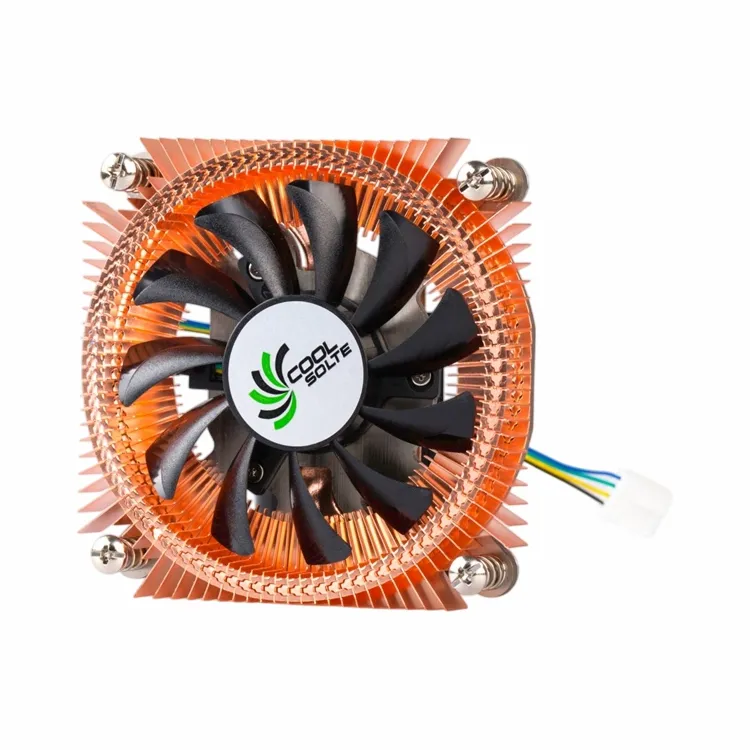
Entry-Level Budget ($10 - $20)
For those on a tight budget, there are some entry-level CPU coolers available for as little as $10 - $20. These coolers are usually basic air coolers with a small heatsink and a single fan. They are suitable for low-power CPUs or systems that are not used for intensive tasks such as gaming or video editing. While they may not offer the best cooling performance or the quietest operation, they can still get the job done for most everyday computing needs.
Mid-Range Budget ($20 - $50)
In the mid-range budget of $20 - $50, you can find a wide range of CPU coolers that offer a good balance between performance and cost. These coolers often have larger heatsinks, multiple fans, and better fan control technology. They are suitable for most mainstream CPUs and can handle moderate overclocking. A Mini Computer Heat Sink for CPU Devices in this price range can provide reliable cooling for small form factor PCs.
High-End Budget ($50+)
If you have a high-end CPU or plan to overclock your system, you may want to consider spending more than $50 on a CPU cooler. High-end coolers often feature advanced cooling technologies such as liquid cooling or large air coolers with multiple fans and heat pipes. They offer superior cooling performance and are designed to handle the heat generated by high-performance CPUs. However, they also come with a higher price tag.
Making the Right Choice
When choosing a budget CPU cooler, it's important to consider your specific needs and budget. Here are some tips to help you make the right choice:
- Determine Your Cooling Requirements: Consider the type of CPU you have and the tasks you'll be performing. If you have a high-end CPU or plan to overclock, you'll need a more powerful cooler.
- Read Reviews: Look for reviews from other users to get an idea of the performance and reliability of the cooler you're considering.
- Check Compatibility: Make sure the cooler is compatible with your motherboard and CPU socket.
- Compare Prices: Shop around and compare prices from different retailers to find the best deal.
Contact Us for Your CPU Cooler Needs
As a supplier of Best Budget CPU Coolers, we offer a wide range of high-quality coolers at competitive prices. Whether you're looking for an entry-level cooler for your home PC or a high-end cooler for your gaming rig, we have the right solution for you. If you have any questions or would like to discuss your specific requirements, please feel free to contact us for a consultation. We look forward to helping you find the perfect CPU cooler for your needs.
References
- PCMag - "Best CPU Coolers"
- Tom's Hardware - "CPU Cooling Guide"
- AnandTech - "CPU Cooling Reviews"