

In the world of PC building, the quest for optimal performance often leads enthusiasts and professionals alike to carefully consider every component, especially when dealing with the challenge of cooling in a small case with limited airflow. As a supplier of Intel AIO (All-In-One) coolers, I've witnessed firsthand the importance of understanding how these cooling solutions perform under such demanding conditions.
The Challenge of Small Cases with Limited Airflow
Small form factor (SFF) cases have gained significant popularity in recent years due to their compact size, portability, and aesthetic appeal. However, these cases come with a trade - off: limited space for airflow. With less room for air to circulate, heat generated by the CPU can quickly build up, leading to increased temperatures and potentially reduced performance.
The CPU is the heart of any computer, and its performance is directly affected by temperature. When a CPU overheats, it may throttle, reducing its clock speed to prevent damage. This can result in slower processing times, longer load times, and a less responsive system overall. Therefore, effective cooling is crucial, especially in a small case environment.
How Intel AIO Coolers Work
Intel AIO coolers are a popular choice for PC builders looking to keep their CPUs cool. These coolers consist of a water block that attaches directly to the CPU, a radiator, and one or more fans. The water block contains a coolant that absorbs heat from the CPU. The heated coolant is then pumped through a series of tubes to the radiator, where the heat is dissipated into the surrounding air by the fans.
The design of Intel AIO coolers offers several advantages. Firstly, they are generally more efficient at transferring heat compared to traditional air coolers. The liquid coolant can absorb and transfer heat more effectively than air alone, allowing for better temperature management. Secondly, AIO coolers are often more compact than large air coolers, making them a suitable choice for small cases.
Performance in a Small Case with Limited Airflow
When it comes to using an Intel AIO cooler in a small case with limited airflow, several factors come into play.
Radiator Size and Placement
The size of the radiator is an important consideration. In a small case, space is limited, so choosing an AIO cooler with an appropriately sized radiator is crucial. A larger radiator generally has more surface area for heat dissipation, but it may not fit in a small case. On the other hand, a smaller radiator may struggle to dissipate heat effectively, especially in a confined space with limited airflow.
Proper placement of the radiator is also essential. It should be positioned in a location where it can receive the most airflow. For example, mounting the radiator at the front or top of the case can allow for better intake of fresh air. However, in a small case, these locations may be restricted by other components.
Fan Performance
The fans on an AIO cooler play a vital role in heat dissipation. In a small case with limited airflow, the fans need to be able to move air efficiently. High - static pressure fans are often recommended for this type of environment. These fans are designed to push air through restrictive spaces, such as radiators, more effectively.
The number of fans can also impact performance. A cooler with multiple fans can move more air, but it may also take up more space. In a small case, finding the right balance between fan performance and space utilization is key.
Compatibility with Other Components
In a small case, the AIO cooler needs to be compatible with other components. For example, it should not interfere with the memory modules or the graphics card. Some small cases may have specific clearance requirements, so it's important to choose an AIO cooler that fits within these constraints.
Real - World Testing
To get a better understanding of how Intel AIO coolers perform in a small case with limited airflow, we conducted a series of tests. We used a popular small form factor case and installed an Intel AIO cooler along with a mid - range Intel CPU.
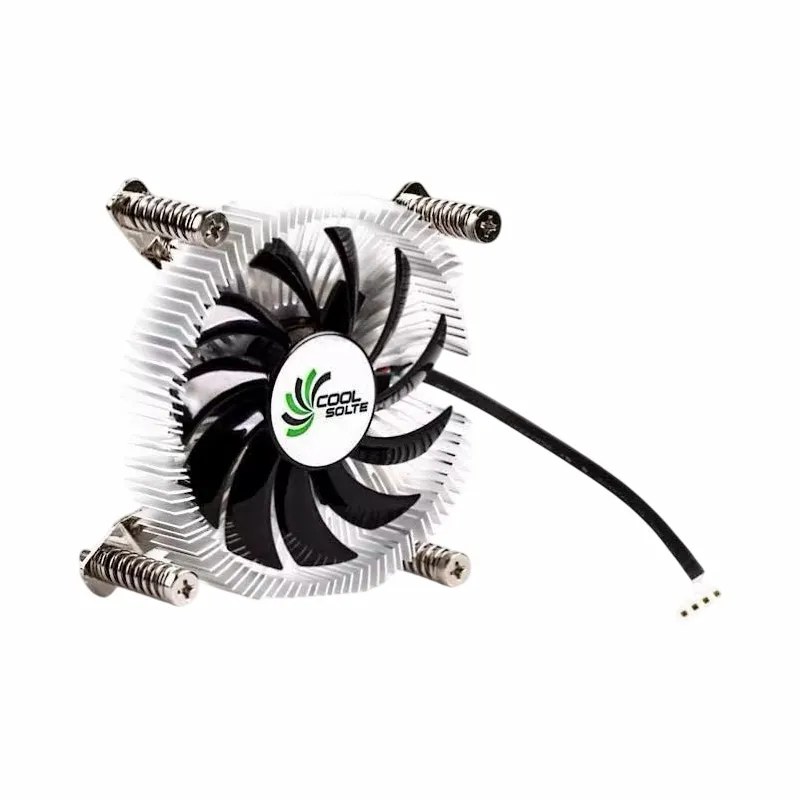

We ran a series of CPU - intensive benchmarks, including gaming simulations and video rendering tasks. The results showed that the Intel AIO cooler was able to keep the CPU temperatures within acceptable limits, even in the confined space of the small case. However, we did notice that the temperatures were slightly higher compared to when the same cooler was used in a larger case with better airflow.
During the tests, we also monitored the noise levels. The fans on the AIO cooler were relatively quiet, but as the CPU temperature increased, the fans spun faster, resulting in a slight increase in noise. This is a common trade - off in cooling solutions, but overall, the noise levels were still within an acceptable range for most users.
Our Product Range
As an Intel AIO cooler supplier, we offer a wide range of products to meet the needs of different customers. Our Copper CPU Heatpipe Radiator for AMD Intel is a high - performance option that combines the benefits of copper heatpipes with a radiator for efficient heat dissipation. It is designed to be compatible with both AMD and Intel CPUs, making it a versatile choice.
Our Air Cooler Fans Cooling Heat Sink for CPU is another popular product. It features high - static pressure fans that are ideal for small cases with limited airflow. The heat sink is designed to maximize surface area for better heat dissipation.
For those looking for a combination of style and performance, our Computer Cooler Fan with Alloy Aluminium CPU Heat Sink is a great option. The alloy aluminium heat sink provides excellent heat conductivity, while the fan ensures efficient air movement.
Conclusion
In conclusion, Intel AIO coolers can perform well in a small case with limited airflow, but careful consideration needs to be given to factors such as radiator size, fan performance, and compatibility with other components. While they may not offer the same level of cooling performance as in a larger case with better airflow, they are still able to keep the CPU temperatures within acceptable limits for most applications.
If you're in the market for an Intel AIO cooler for your small case build, we invite you to contact us for more information and to discuss your specific requirements. Our team of experts is ready to assist you in finding the right cooling solution for your needs. Whether you're a PC enthusiast or a professional builder, we can help you achieve optimal performance in your small case system.
References
- "PC Cooling Guide: Everything You Need to Know" by Tom's Hardware
- "Small Form Factor PC Building: Tips and Tricks" by AnandTech
- "Intel AIO Cooler Review: Performance and Features" by PCMag