

Low profile all-in-one (AIO) coolers have become increasingly popular in the PC building community, especially for those who are looking to build a compact yet powerful system. One of the common questions that users often ask is whether low profile AIO coolers support multiple fan speeds. As a supplier of low profile AIO coolers, I'm here to shed some light on this topic.
Understanding Fan Speed in Cooling Systems
Before we dive into whether low profile AIO coolers support multiple fan speeds, it's important to understand the role of fan speed in a cooling system. Fan speed is measured in revolutions per minute (RPM). A higher RPM generally means that the fan is moving more air, which can result in better cooling performance. However, it also means that the fan will produce more noise. On the other hand, a lower RPM will reduce noise but may not provide sufficient cooling, especially under heavy loads.
Multiple fan speeds allow users to strike a balance between cooling performance and noise level. For example, during normal usage, such as web browsing or word processing, a lower fan speed can be used to keep the noise down. But when running resource-intensive applications like games or video editing software, the fan speed can be increased to ensure that the CPU stays cool.
Do Low Profile AIO Coolers Support Multiple Fan Speeds?
The short answer is yes, most low profile AIO coolers do support multiple fan speeds. This is made possible through a technology called Pulse Width Modulation (PWM). PWM is a method of controlling the power supplied to the fan by rapidly switching it on and off. By varying the ratio of on-time to off-time, the average power supplied to the fan can be adjusted, which in turn controls the fan speed.
Most modern motherboards have PWM headers that can be used to connect the fans of a low profile AIO cooler. These headers allow the motherboard to communicate with the fans and adjust their speed based on the CPU temperature. Some low profile AIO coolers also come with their own controllers, which can be used to manually adjust the fan speed or set up custom fan curves.
Benefits of Multiple Fan Speeds in Low Profile AIO Coolers
There are several benefits to having multiple fan speeds in low profile AIO coolers. Firstly, as mentioned earlier, it allows users to balance cooling performance and noise level. This is particularly important in low profile cases, where space is limited and noise can be more noticeable.
Secondly, multiple fan speeds can help to extend the lifespan of the fans. Running the fans at a lower speed most of the time reduces wear and tear on the bearings, which can lead to a longer lifespan. This is especially beneficial for users who plan to use their PC for a long time.
Finally, multiple fan speeds can also improve energy efficiency. By running the fans at a lower speed when less cooling is required, less power is consumed. This can result in lower electricity bills and a more environmentally friendly PC.
Our Low Profile AIO Coolers
As a supplier of low profile AIO coolers, we offer a range of products that support multiple fan speeds. Our coolers are designed to provide excellent cooling performance in a compact form factor, making them ideal for small form factor PCs.
One of our key products is the Copper CPU Heatpipe Radiator for AMD Intel. This radiator features a copper heatpipe design that provides efficient heat transfer, combined with high-quality fans that support PWM control. The fans can be adjusted to different speeds to meet the cooling needs of different CPUs and usage scenarios.
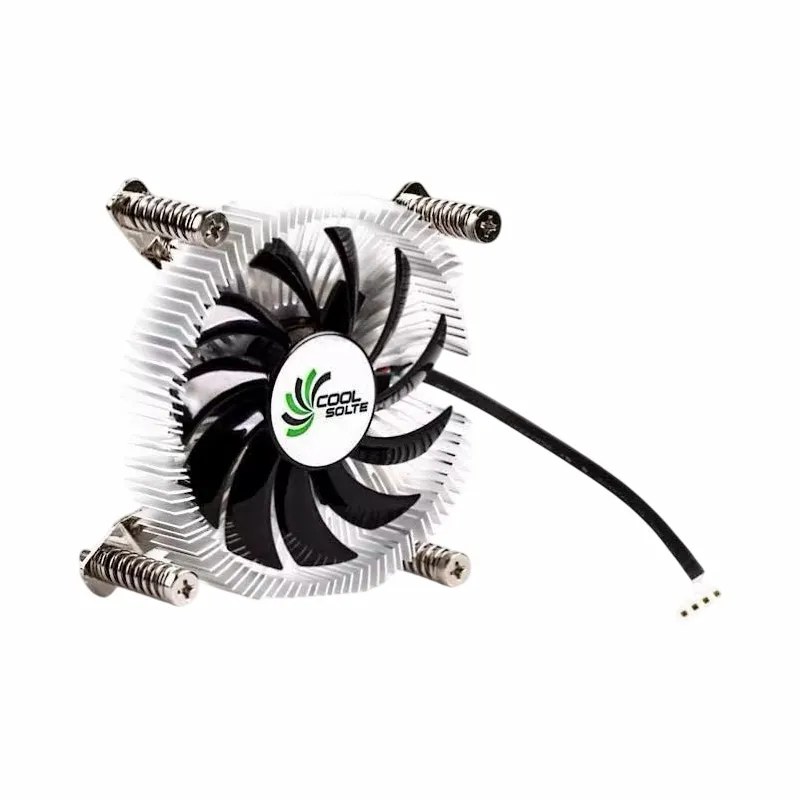
Another popular product is the Computer Cooler Fan with Alloy Aluminium CPU Heat Sink. This cooler uses an alloy aluminium heat sink to dissipate heat quickly, and the fans can be controlled through the motherboard's PWM headers. It's a great choice for users who are looking for a cost-effective and reliable cooling solution.
We also offer the Air Cooler Fans Cooling Heat Sink for CPU. This product features a unique air cooling design that uses multiple fans to provide efficient cooling. The fans can be adjusted to different speeds to optimize the cooling performance and noise level.
How to Control Fan Speeds in Our Low Profile AIO Coolers
Controlling the fan speeds in our low profile AIO coolers is easy. If you're using a motherboard with PWM headers, you can simply connect the fans to the headers and use the motherboard's BIOS or software to adjust the fan speed. Most motherboards allow you to set up custom fan curves based on the CPU temperature, so you can fine-tune the cooling performance according to your needs.
If your cooler comes with its own controller, you can use the controller to manually adjust the fan speed or set up pre-defined fan curves. The controller usually has a simple interface that allows you to easily change the settings.

Conclusion
In conclusion, low profile AIO coolers do support multiple fan speeds, thanks to technologies like PWM. This feature allows users to balance cooling performance and noise level, extend the lifespan of the fans, and improve energy efficiency. As a supplier of low profile AIO coolers, we offer a range of products that support multiple fan speeds and provide excellent cooling performance in a compact form factor.
If you're interested in our low profile AIO coolers or have any questions about fan speed control, please feel free to contact us for procurement and further discussion. We're always happy to help you find the right cooling solution for your PC.
References
- "PC Cooling Basics: Understanding Airflow and Fan Configurations." Tom's Hardware.
- "Pulse Width Modulation (PWM) in PC Cooling." Overclockers.com.