

Hey there, tech enthusiasts! As a supplier of RAM heatsinks, I get asked a ton about how often one should check these little cooling heroes. It's a crucial question, and in this blog, I'm gonna break it down for you.
First off, let's talk about why checking your RAM heatsink matters. RAM, or Random Access Memory, is like the short - term memory of your computer. It stores data that your computer is currently using, and when it gets too hot, it can cause all sorts of problems. Overheating RAM can lead to system crashes, slow performance, and even permanent damage. That's where the RAM heatsink comes in. It's designed to dissipate heat, keeping your RAM at a safe temperature.
So, how often should you check it? Well, it depends on a few factors.
Usage Patterns
If you're a casual user, just browsing the web, checking emails, and maybe watching some videos, you probably don't need to check your RAM heatsink as often. You can get away with a check every six months or so. Your computer isn't working too hard, so the RAM isn't generating a whole lot of heat.
On the other hand, if you're a power user, like a gamer, a video editor, or someone who runs multiple resource - intensive programs at once, your RAM is under a lot more stress. In this case, you should check your RAM heatsink every three months. The constant heavy usage means that the RAM is generating more heat, and you want to make sure the heatsink is doing its job.
Environment
The environment in which your computer operates also plays a big role. If your computer is in a cool, well - ventilated room, the RAM heatsink won't have to work as hard. You can probably extend the checking interval a bit. However, if your computer is in a hot, stuffy room, or if it's sitting in a cramped space with poor airflow, you should check the heatsink more frequently. Maybe every two months in such conditions.

Signs That You Need to Check Sooner
There are some signs that indicate you need to check your RAM heatsink right away. If you notice your computer crashing more often, freezing, or if it's running slower than usual, it could be a sign that your RAM is overheating. Another sign is if you hear your computer's fans running at full speed all the time. This could mean that the system is trying to compensate for the excess heat.
How to Check Your RAM Heatsink
When you check your RAM heatsink, there are a few things to look out for. First, check for any visible damage. Look for cracks, bent fins, or loose parts. If you see any damage, it's time to replace the heatsink.
Next, check for dust buildup. Dust can accumulate on the heatsink over time, reducing its ability to dissipate heat. You can use a can of compressed air to blow the dust off. Make sure to hold the can upright and use short bursts of air to avoid getting moisture on the heatsink.
Our Product Range
At our company, we offer a wide range of high - quality RAM heatsinks. But we also have some other great products for your computer's cooling needs. For example, we have the Mini Computer Heat Sink for CPU Devices. This is perfect for those who have a small - form - factor computer and need efficient cooling for their CPU.
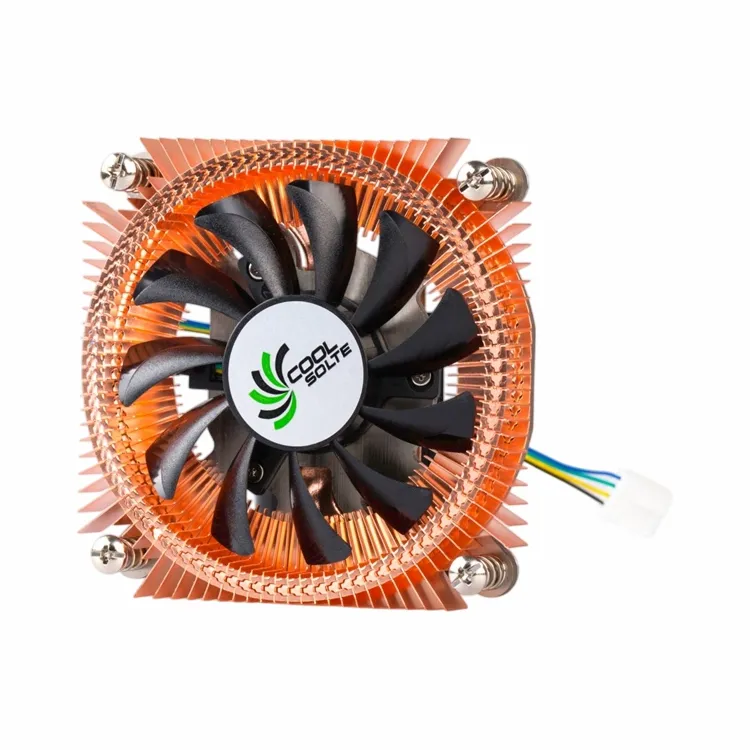
If you're looking for something with a bit more power, we also have the CPU Cooling Fan with Heatsink. This combination provides excellent cooling performance, ensuring that your CPU stays cool even under heavy loads.
And for those who want a sleek and durable option, our Black Anodized Aluminum Heat Sink for CPU is a great choice. The anodized aluminum not only looks great but also offers good heat dissipation properties.
Conclusion
So, to sum it up, how often you should check your RAM heatsink depends on your usage patterns and the environment. Casual users can check every six months, power users every three months, and those in poor environments every two months. And always keep an eye out for signs of overheating.
If you're in the market for a new RAM heatsink or any other computer cooling products, we're here to help. Our products are designed to provide reliable and efficient cooling, ensuring that your computer runs smoothly. Whether you're a casual user or a power user, we have the right solution for you.
If you're interested in our products and want to discuss a purchase, feel free to reach out. We're always happy to have a chat and help you find the best cooling solutions for your needs.
References
- Computer Hardware: A Beginner's Guide, Third Edition
- PC Cooling Handbook: How to Keep Your Computer Running Cool